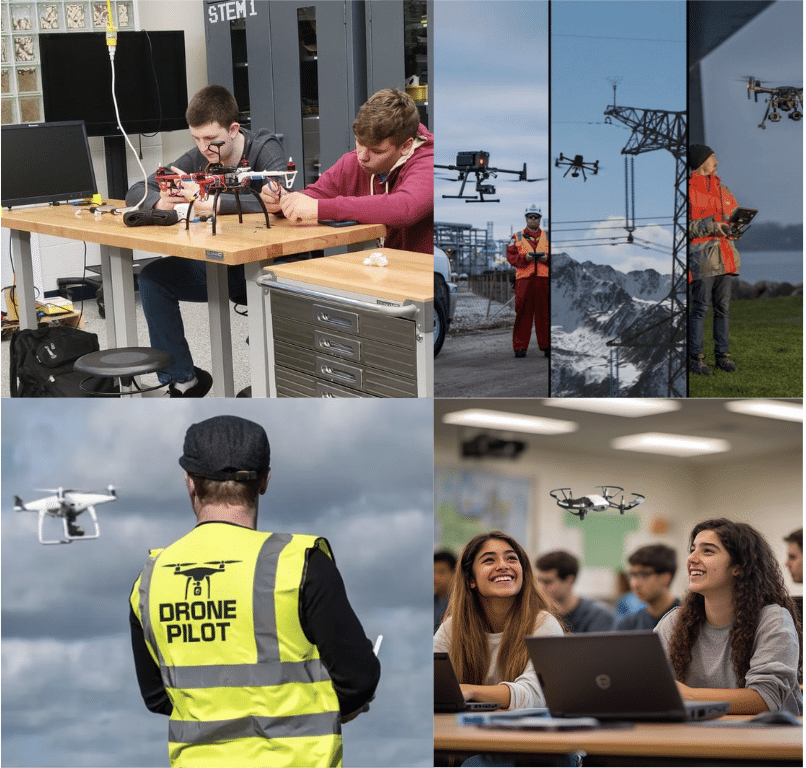

A drone taking off in a classroom can turn several abstract lessons into something students can see happening in front of them.
Thrust becomes the reason the drone rises. Gravity becomes the force pulling it back toward the ground. A change in a line of code can alter its direction, altitude, speed, or flight path.
This is one reason schools are using drones in education to connect subjects that are often taught separately.
Physics explains why a drone moves.
Coding determines what the drone does.
Engineering helps students understand the system making both possible.
Instead of learning each concept only through diagrams, equations, or programs on a screen, students can apply them to a physical system and immediately observe the result.
Drones Turn Physics Into Something Students Can Observe
Many physics concepts are easier to understand when students can see their effects.
Drone flight provides a practical way to explore forces and motion because almost every movement depends on a physical principle.
When a drone hovers, accelerates, turns, climbs, or lands, students can investigate concepts including:
- Thrust
- Gravity
- Lift
- Drag
- Acceleration
- Velocity
- Momentum
- Force
- Energy
- Stability
Consider something as simple as hovering.
For a drone to maintain its altitude, the upward force generated by its propellers must counteract the downward force of gravity. If the motors generate more upward force, the drone climbs. If they generate less, it descends.
Suddenly, forces are not just arrows on a worksheet. Students can observe what happens when those forces change.
Drone Flight Creates Opportunities for Measurement
Watching a classroom drone fly is useful. Measuring its flight can take the physics lesson further.
Teachers can create challenges that require students to collect data and use it to explain what happened.
Students might measure how long a drone takes to travel a known distance and calculate its average speed.
They could compare flight times across different distances, examine changes in altitude, or investigate how adjustments to a flight plan affect the drone’s movement.
A challenge could ask:
How long will it take the drone to travel three meters?
Students make a prediction, program or fly the drone, record the result, calculate the results and the difference, and determine what may have caused it.
The drone becomes part of an experiment rather than simply a piece of classroom equipment.
Coding Connects Instructions to Real-World Movement
The connection between drones and education becomes especially interesting when students begin programming the drone.
Instead of manually controlling every movement, students can write instructions that determine how the drone behaves.
For example, a simple drone program might instruct it to:
- Take off
- Rise to a specified altitude
- Move forward
- Turn 90 degrees
- Return to its starting position
- Finally Land
Behind that short sequence are several computer science concepts.
Students work with sequencing, variables, conditionals, loops, functions, coordinates, and algorithms while controlling an actual physical system.
The result of the code is visible.
If the program works, the drone follows the intended route.
If it does not, students have a problem to investigate.
Students Learn to Debug Through Testing and Observation
A program running on a screen might return an error message or produce the wrong output.
With a programmable drone, an error can become movement.
Perhaps the drone turns left instead of right. It travels too far. It stops before reaching its target. It completes the correct movements but in the wrong order.
Students then have to determine why.
Was an instruction placed in the wrong sequence?
Was the distance incorrect?
Was the turn angle wrong?
Did the program make an incorrect assumption about the drone’s starting position?
Students modify the code, run the program again, observe the result, and continue adjusting.
This creates a practical debugging cycle:
Plan → Code → Test → Observe → Debug → Try Again
Students are now debugging to ensure the drone completes the mission successfully.
Drones Create Natural Cross-Curricular STEM Projects
One of the strengths of drones in education is that a single project can combine multiple disciplines.
Consider a challenge in which students must program a drone to fly through a predetermined course.
Physics
Students consider speed, distance, acceleration, forces, and flight stability.
Computer Science
Students develop the sequence, write the program, test it, and debug errors.
Mathematics
Students calculate distances, angles, coordinates, timing, and flight paths.
Engineering
Students work within constraints and refine their approach based on test results.
Instead of treating each subject as a separate classroom activity, the drone gives students one problem that requires knowledge from several areas.
Teachers Can Build Lessons Around Missions
Drone activities become more meaningful when students have a clear objective.
Rather than asking students to simply “program the drone,” teachers can create missions with defined constraints.
For example:
Precision landing:
Program the drone to take off, travel to a target, and land inside a designated area.
Delivery mission:
Develop a flight path that carries the drone from one location to another while meeting distance or time constraints.
Obstacle course:
Program the drone to navigate a route without entering restricted areas.
Flight efficiency challenge:
Compare different algorithms and determine which completes the route most efficiently.
Physics investigation:
Change one flight variable and collect data to determine how it affects the result.
These challenges give students a reason to apply coding and physics concepts together.
Drones Also Introduce Students to Autonomous Systems
As students progress, drone programming can introduce another important idea: autonomy.
There is a major difference between programming a drone and piloting one to complete a task.
When students manually control a drone, they continuously decide what it should do next.
When they program autonomous behavior, those decisions must be considered before the flight.
Students have to think about sequence, conditions, position, possible errors, and how the system should respond.
That same type of thinking appears across robotics, autonomous vehicles, automation, logistics, engineering, and other technical fields.
The drone is therefore more than a way to make a physics or coding lesson interactive. It can help students understand how software controls physical systems.
Build a K-12 Drone Learning Pathway With LocoRobo
LocoRobo helps schools use drones as part of structured STEM, computer science, engineering, and CTE programs.
Schools can build drone pathways that progress from introductory flight and block coding to Python programming, autonomous systems, advanced drone applications, and STEM career exploration.
LocoRobo’s educational drone kits include LocoDrone, CodeMyDrones, TryDrones, and LocoFly FAA Part 107 preparation, giving schools options based on grade level, course goals, and student experience.
More importantly, the technology is supported by drone curriculum, classroom activities, professional development, and implementation support so teachers have a clear plan for using drones as learning tools.
Whether your goal is to introduce elementary students to STEM, teach coding in middle school, build a high school drone program, or connect CTE students with aviation and autonomous systems, LocoRobo can help you plan a pathway around what you want students to learn.